
Orbital is a 3D previsualization console designed for film shoots featuring acrobatic, drone-style camera movements.
Define your environment, trajectories, and scene elements—then fly, render, and captivate.
ORBITAL bridges the gap between real-world production and AI-driven filmmaking.
A 3D previsualization console designed for production companies, directors, and artists working with creative AI. It is an extraordinary tool for planning spectacular camera movements and exploring cinematic perspectives in a matter of minutes.
Control the camera using a joystick, map out your paths, or enter a prompt. Connect to photorealistic 3D rendering pipelines or video generation tools, transforming your creative ideas into unique cinematic imagery.
Pick an environment, drop the road and the car, set its colour — urban, coastal, a circuit, open country — or load a real place anywhere on Earth.
Whether through manual controls, a console, or by using your iPhone with Zig Sim Pro, you will get the same sense of control you would have with a real FPV drone.
Keyframes for animating multiple elements frame by frame, Bézier curve handling, and an intuitive timeline interface.
Record live or offline camera tracking of a scene directly within a high-quality 3D environment, export in .fbx and .mp4 formats, and—if you wish—incorporate AI-driven processing.
Inside Orbital — scene editor, transform gizmo, device input.
Type a city, an address or a pair of coordinates and Orbital builds the place around your shot: real streets, real buildings, water, coastline and — if you want it — the actual relief of the terrain. The car starts on a real road and the drone is already behind it, ready to fly.
Streets, buildings and skylines rebuilt around your shot, anywhere in the world. Map data © OpenStreetMap contributors.
One-click presets for Rome, Milan, Turin, Florence, New York, Paris, Tokyo, Berlin and Sydney — plus a menu of 25 more cities, each with its coordinates ready to copy and paste.
Monuments, amphitheatres, arenas and stadiums are modelled as solid volumes. The Colosseum and the Duomo di Milano are rebuilt at real scale, so the places everyone recognises are always there.
Switch on real terrain with adjustable exaggeration, coastline, lakes and rivers. The car follows an actual street, and every other tool — Pen, keyframes, export — works exactly as before.
Using an Arduino KY-023 controller connected via USB—or a wireless joystick—you get the same sensation as flying FPV.
Click through the scene to draw the drone's route, with altitude per point — or the car's route and a person's walk. See the Pen tool →
Describe the move in plain language and Orbital flies it — fifty manoeuvres in the library, from a slow push-in to a full orbit.
X, Y, Z translation plus orbital rotation around the subject, by keyboard or gamepad, the way you'd block a shot by hand.
Phone gyroscope. Tilt and move an iPhone, piped straight in over Zig Sim Pro — useful for a move that's easier to act out than to key.
Arduino. Orbital ships a ready-made Arduino bridge for your KY-023 joystick: connect it over USB and it flies the drone with no extra setup.
Pick what you want to move, then just click through the scene. Orbital turns the line into a smooth, editable path: set the drone's altitude per point, or let the car and the people follow the ground — and place everything in a real city if you like.
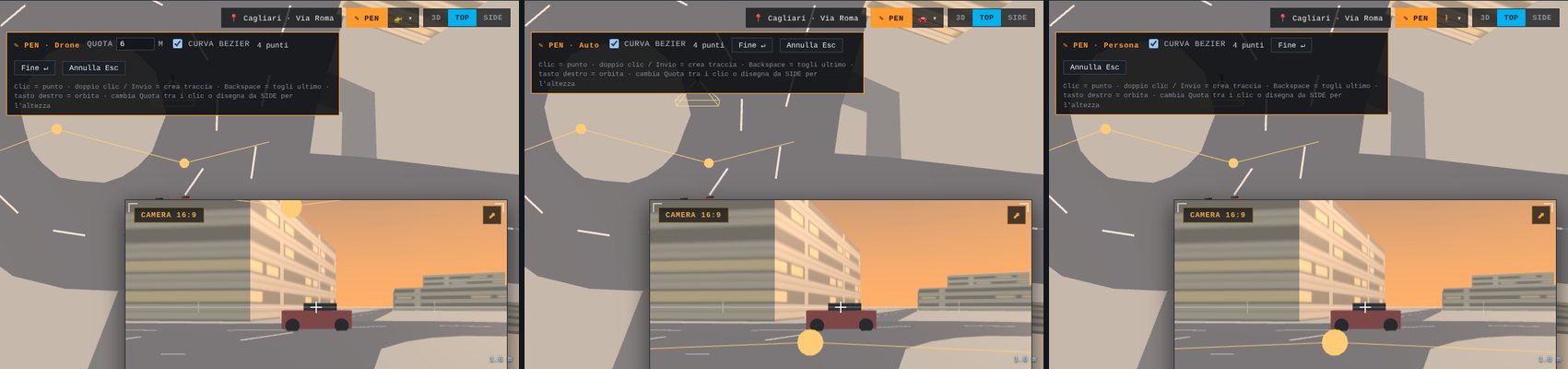
One tool, three targets — drone, car and person — chosen from the menu beside the Pen button.
Set the altitude and click your points. The route becomes the drone's flight, with smooth Bézier curves and a keyframe on every point.
Draw the car's path straight on the street. It follows the ground, faces the direction of travel and runs across the timeline.
Send a pedestrian across the scene with the same gesture — handy for populating the frame around the main action.
Click = pointDouble-click / Enter = createBackspace = undo pointEsc = cancelBézier smoothing
Over 50 manoeuvres available for use. Pre-configured prompts for AI generation and animated scenes ready for further refinement, allowing you to make every shot entirely your own.
Every manoeuvre in the library ships with its own ready-made prompt — grab it and drop it straight into your pipeline.
Or skip the prompt entirely: one click sends any manoeuvre straight into the 3D Scene, already keyframed and ready to fly.
Combine duration, intensity, camera style and dozens of other variants into a manoeuvre that's entirely your own.
Take the controls yourself and create your own spectacular path. Operate the system directly via a Wi-Fi-connected console, through a smartphone using the Zig Sim Pro app, or by connecting an Arduino-based joystick controller via cable. Adjust the cruising speed, altitude maintenance, and rotation speed for each axis; record your maneuvers in real time, or define them later using keyframes.
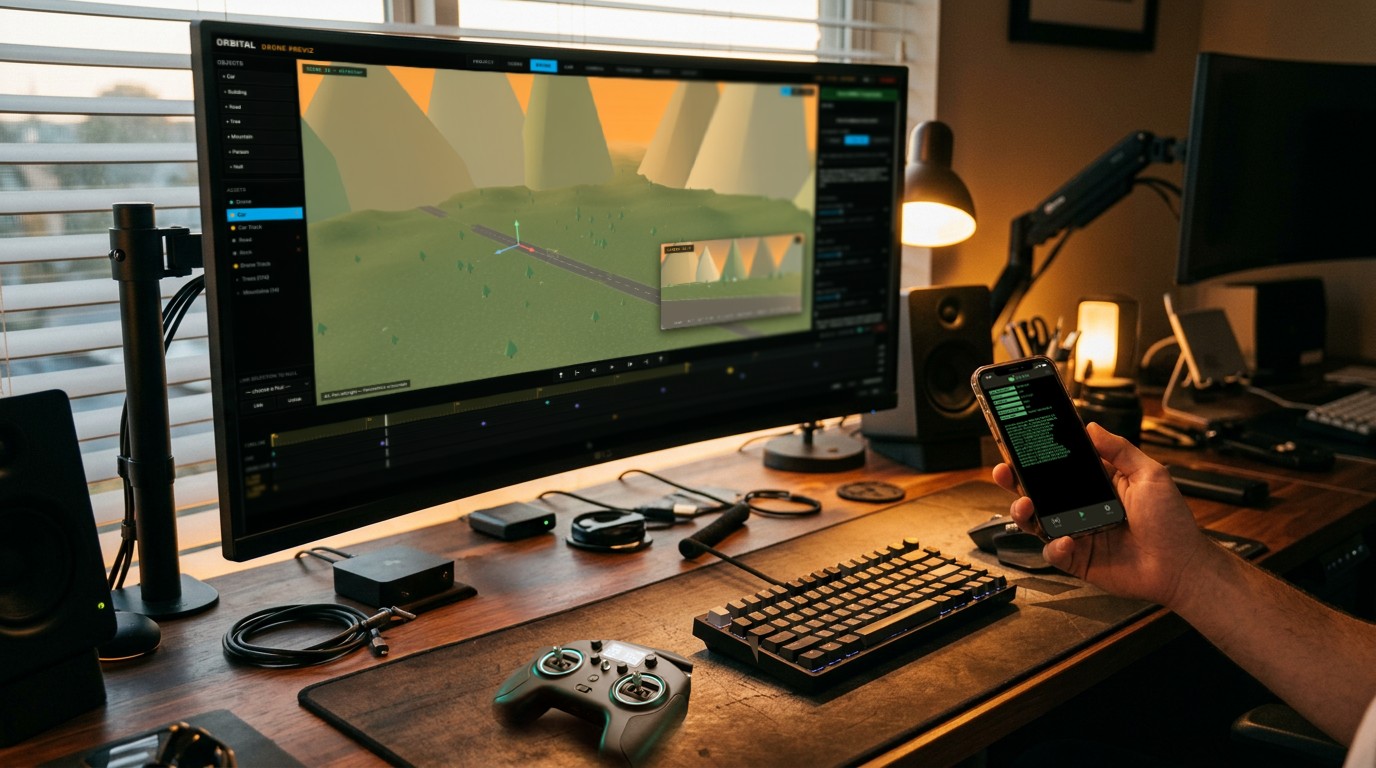
Console, phone and joystick — one scene, flown by hand.
Prefer coding? Pilot your drone, car, or any character with just a few lines of Python using Orbital's integrated scripting console: a precise, repeatable, and easy-to-modify method. Another option is to connect Orbital directly to a 3D scene in Magnific and watch the camera tracking and scene objects flow in real time, ready for AI-powered direction. These two options are designed for more experienced users working on the same scene. Try it!
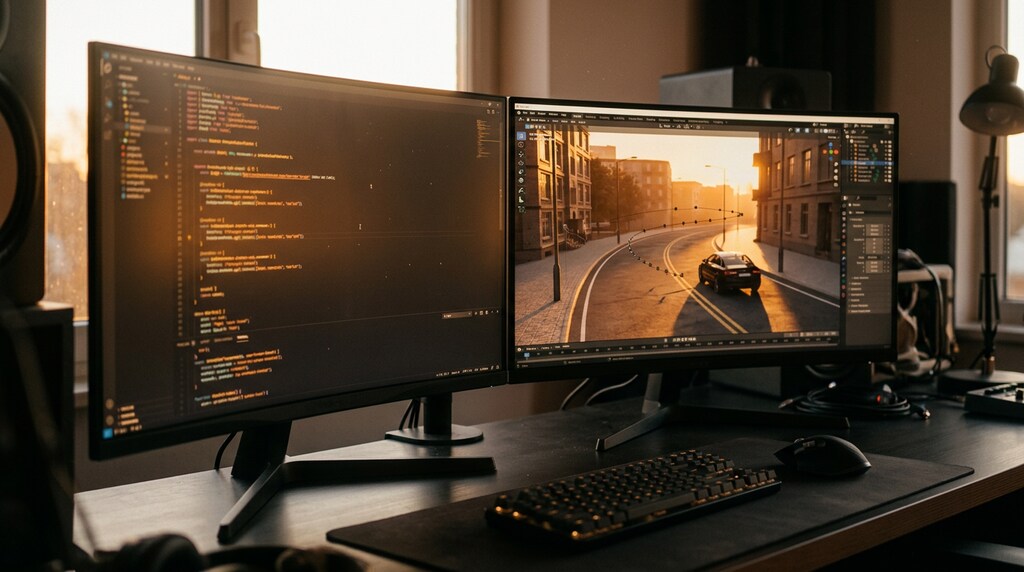
Write the move in Python, or let the scene stream straight into Magnific.
Where imagination takes flight.
Basic
For solo previz — one environment, no watermark.
€9/month
Billed monthly, cancel any time
or €8.10/month with the annual plan — save 10%
Standard
For previz work across every environment, however you fly it.
€19/month
Billed monthly, cancel any time
or €16.15/month with the annual plan — save 15%
Pro
For shots that go straight into Magnific.
€36/month
Billed monthly, cancel any time
or €28.80/month with the annual plan — save 20%
No. Licensing is offline — no server, no account check at startup. It's built to work on a set or in a studio with no connection at all.
Only the moment you load a place: Orbital downloads the streets, buildings, water and (optionally) terrain once, and stores them inside your project. After that, the project opens and flies fully offline.
Streets, buildings, water and landmarks come from OpenStreetMap (© OpenStreetMap contributors, ODbL). Terrain relief is optional and comes from public elevation data. Famous monuments such as the Colosseum and the Duomo di Milano are modelled by Orbital itself at real scale.
Yes. Choose Drone, Car or Person from the menu next to the Pen button and draw the route directly in the scene. Every point becomes a keyframe you can refine with the gizmo, Bézier handles and the timeline.
No. The Magnific bridge is one export path, available on Pro. You can always export a plain .mp4 or .fbx and take it anywhere else.
macOS, on both Apple Silicon and Intel Macs. A Windows build is on the way.
Every plan can be billed monthly or annually. The annual subscription is paid once a year and costs less than twelve monthly payments: 10% less on Basic (€97.20/year), 15% less on Standard (€193.80/year) and 20% less on Pro (€345.60/year). Same features either way.
Yes, on Pro — import a .fbx and Orbital drives it through the scene in place of the default body.
The console stays fully usable for as long as you like. Only the exports carry a watermark until a licence is active.